I recently started learning guitar.
While learning, I found that some of the basic exercises were more difficult than I expected. I could understand how a note should be played, but I still needed time to find the right position on the guitar.
So I started thinking about whether I could build a small tool to help me practice.
The Problem
While learning guitar, I found two problems that I wanted to solve.
Practicing Individual Notes
As a beginner, I need to get familiar with how to play each note on the guitar.
Simply looking at a chart and memorizing the notes is not enough. I need to practice repeatedly until I can see a note and quickly find the right position on the guitar.
So I wanted a simple way to practice this randomly.
Instead of choosing which note to practice myself, the tool randomly shows me a note and lets me play it.
If I play the wrong note, the tool shows the correct position on the fretboard. This gives me immediate feedback and helps me connect the note name with its position on the guitar.
Practicing with Sheet Music
The second problem was practicing with sheet music.
When I first started, reading sheet music and then figuring out which note to play on the guitar could be difficult. There were too many things to think about at the same time.
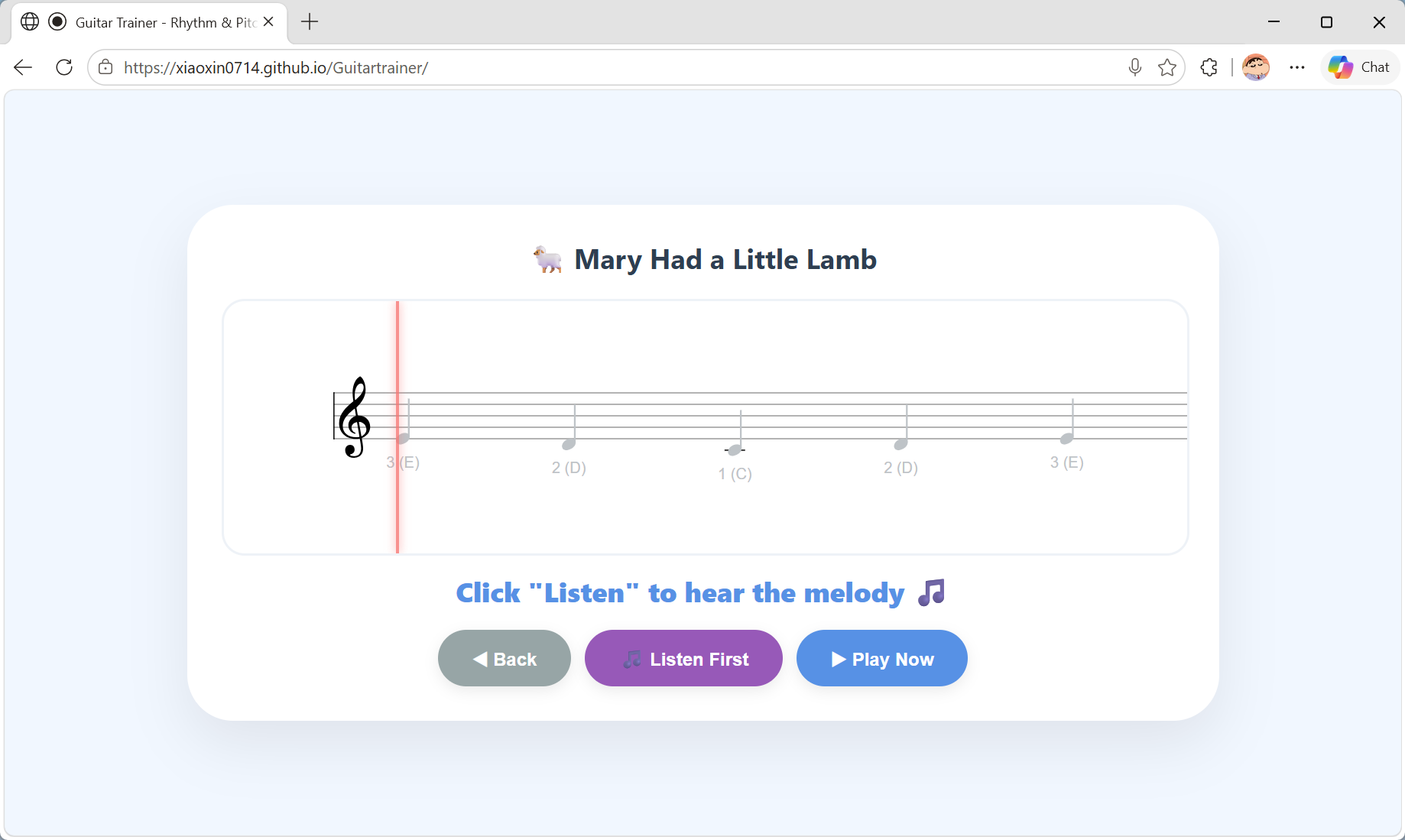
I wanted to put the sheet music on the screen and show me the note I needed to play. The current note would be highlighted, so I could follow my progress while playing.
I also wanted the system to play the music automatically based on the sheet music, including the rhythm. This would help me understand how the piece should sound before trying to play it myself.
The Solution
I decided to build a small tool with two main parts: note practice and sheet music practice.
For individual notes, a note is randomly displayed on the screen. I try to find and play it as quickly as I can. If I play the wrong note, the tool shows the correct string and fret.
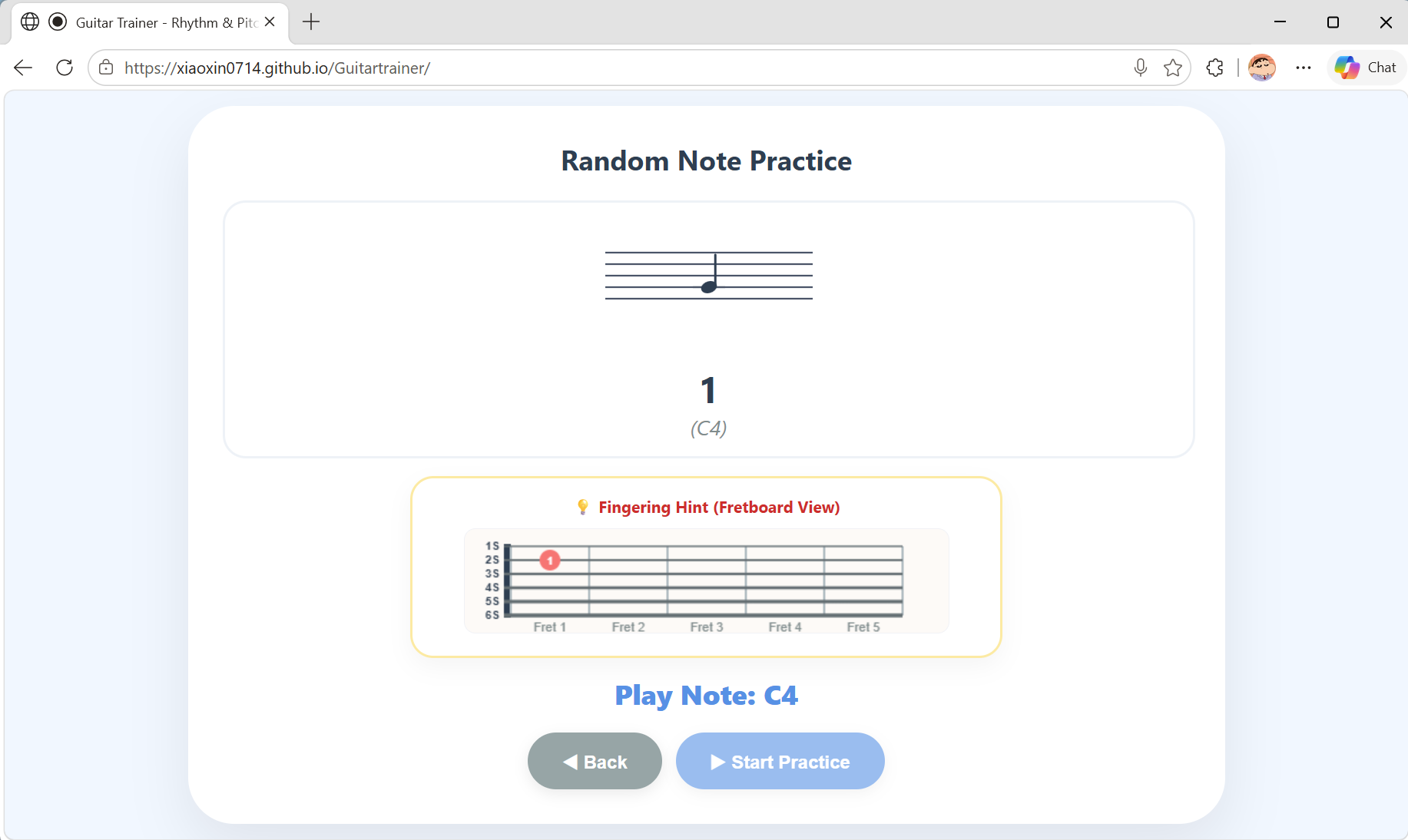
For sheet music practice, I can display the music on the screen and follow it while playing. The current note is highlighted, and the system can also play the piece based on the sheet music, including its rhythm.
The basic idea is simple:
See the note → find the position → play it → get feedback.
For a complete piece:
Follow the sheet music → play the notes → see your progress → listen to the melody.
Building and Iterating with AI
I used AI throughout the development process, but the important part was not simply asking AI to write the code.
Before building the application, I first needed to understand whether some of the ideas were technically possible.
For example:
- Can a browser listen to the sound of a guitar and recognize which note was played?
- How can I display sheet music in a web page?
- Is there a library that can make this easier?
I used AI to explore these technical questions and find possible approaches.
Once I had a better idea of how to solve the problems, I started building the prototype.
I described the product and its interactions to AI and used the generated code as a starting point. I then tested the prototype myself and gave AI more specific feedback.
The first version was far from perfect.
The sheet music was too small and difficult to read. There was no clear visual difference between notes I had already played and the note I was currently playing.
The playback also sounded quite mechanical because every note had the same duration.
So I changed the requirements and iterated:
- Make the notes larger.
- Clearly distinguish played and unplayed notes.
- Highlight the current note.
- Add rhythm and melody control.
- Improve the transition from one note to the next.
After each change, I tested the result again.
The process became a continuous loop:
Idea → Requirement → AI implementation → Test → Feedback → Change → Test again
This was probably the most interesting part of the project for me.
AI made the implementation much faster, but I still needed to decide what the product should do and whether the result actually solved the problem.
For a small personal project, the distance between an idea and a working prototype has become much shorter. I can spend more time thinking about the problem and less time turning every idea into code by hand.
The Project
The project is open source and available on GitHub.
GitHub: Guitartrainer
Live Demo: Guitartrainer
The current version supports:
- Random note practice
- Sheet music practice
The project is still a work in progress. I plan to keep improving it as I continue learning guitar.
One idea I want to explore next is an “AI Coach” that could track which note transitions I struggle with and generate custom exercises based on those difficulties.